Packaging Value

Innovative Development in Packaging

  • Labeling Machines
  • CapLining Materials and Induction Machinery
  • Induction Sealing
  • Hang Tabs
  • Contact Us

Used Labeling Machinery: Hidden Costs You Did Not Know About

July 19, 2019 by value

Used Labeling Machinery and Packaging Machinery: Purchasing used labeling machinery, sealing, and packaging machinery will definitely provide a path to lower machinery purchase costs- and it will feel like a great deal. But watch out- you could be setting yourself up for huge costs that far outweigh any savings you thought you might make by […]

The post Used Labeling Machinery: Hidden Costs You Did Not Know About appeared first on LabelOn™ US | Labeling Machines | Self Adhesive Labeling Systems.

Filed Under: Labeling Machines Tagged With: label applicators, self adhesive labeling machine

Breakthrough Glass Induction Sealing with SealerOn™

June 18, 2019 by value

  The Video Below, with SealerOn™ Breakthrough Glass Induction Sealing Material, demonstrates how easy it is to apply an induction seal onto a glass pack that is using a plastic lid.   Heat Shrink Bands Heat Shrink Bands can often be a very user unfriendly part of packaging for products in Glass. Clients purchasing products […]

Filed Under: Induction Sealing Machines Tagged With: heat sealing, induction sealing, product sealing

Breakthrough Glass Induction Sealing with SealerOn™

June 18, 2019 by value

  The Video Below, with SealerOn™ Breakthrough Glass Induction Sealing Material, demonstrates how easy it is to apply an induction seal onto a glass pack that is using a plastic lid.   Heat Shrink Bands Heat Shrink Bands can often be a very user unfriendly part of packaging for products in Glass. Clients purchasing products […]

Filed Under: Cap Lining Materials and Machinery, Induction Sealing Machines Tagged With: cap inserter machines, cap liners, cap lining materials, caps and liners

Test Page

May 9, 2019 by value

20190322 Benefel Digital Brochure LMS510-WRAP Mini Wrap Around Labeler V01

Filed Under: Induction Sealing Machines Tagged With: heat sealing, induction sealing, product sealing

Making Re-Purposed Glass Packaging Possible with Induction Sealing and SealerOn™

February 26, 2019 by value

Induction Sealing Glass The appeal to pack into glass is well documented. Those seeking products in glass are looking for product that is not tainted by plastic contact.  They are looking for purity in the product and most likely align themselves with the goals of environmental awareness and sustainability. If packaging can be recycled, that […]

Filed Under: Induction Sealing Machines Tagged With: heat sealing, induction sealing, product sealing

Making Re-Purposed Glass Packaging Possible with Induction Sealing and SealerOn™

February 26, 2019 by value

Induction Sealing Glass The appeal to pack into glass is well documented. Those seeking products in glass are looking for product that is not tainted by plastic contact.  They are looking for purity in the product and most likely align themselves with the goals of environmental awareness and sustainability. If packaging can be recycled, that […]

Filed Under: Packaging materials and Machinery Tagged With: caps and liners, induction sealing machines, labeling machines, packaging materials and machinery

Making Re-Purposed Glass Packaging Possible with Induction Sealing and SealerOn™

February 26, 2019 by value

Induction Sealing Glass The appeal to pack into glass is well documented. Those seeking products in glass are looking for product that is not tainted by plastic contact.  They are looking for purity in the product and most likely align themselves with the goals of environmental awareness and sustainability. If packaging can be recycled, that […]

Filed Under: Cap Lining Materials and Machinery, Induction Sealing Machines Tagged With: cap inserter machines, cap liners, cap lining materials, caps and liners

LabelOn™ Mini Synergy – Accuracy of Application – Five Times Spot On

February 21, 2019 by value

We’ve got you covered In the smallest of spaces! Two of the most difficult production line problems faced can be finding the room and finding the budget for equipment to accurately place labels onto your product. Check out our new LabelOn™ Mini Synergy Range: These are Power House pieces of labeling equipment that can sit […]

Filed Under: Packaging materials and Machinery Tagged With: caps and liners, induction sealing machines, labeling machines, packaging materials and machinery

LabelOn™ Mini Synergy – Accuracy of Application – Five Times Spot On

February 21, 2019 by value

We’ve got you covered In the smallest of spaces!

Two of the most difficult production line problems faced can be finding the room and finding the budget for equipment to accurately place labels onto your product.

Check out our new LabelOn™ Mini Synergy Range:

These are Power House pieces of labeling equipment that can sit on a workbench top and get through serious Five Labels Mini Synergy Top Labelerproduction.
See a video of the LabelOn™ Mini Synergy – Top Labeler  in action hitting the mark Five times – one on top of the other! before we show its true function of providing tamper evident labeling.

The LabelOn™ Mini “Synergy” Range is a significant step up from semi-automated labeling and a great first step towards a production line.

This truly is the “Mini” of Labeling machines. Everything you would find in a  larger machine and outgunning all competitor’s in this small footprint label machine arena as well as MANY larger footprint  machines.

Compared to our Standard LabelOn™ Mini Range Enhanced features include:

    • PLC and Touch Screen Control
      • The Standard range of Mini machines consists of a basic dedicated board with a LED display
    • Higher Labeling Speed
    • Taller Standard Label Head (apply taller label)- and two even taller label height range options
    • Larger Capacity Label Roll Holder
    • Speed Synchronization of Label Head with other moving modules on the machine
      • This is a big enhancement not found on The Standard range of Mini machines
    • Improved Label Head Mechanics
  • Easier Access Electronics

IF you move forward with a LabelOn™ Mini Synergy you won’t look back as your operators will become familiar with mechanics and controls that are very similar to our full size production machines.

Chat with us at www.adeneli.com or call us toll free at 844-ADENELI (844-233-6354)

Filed Under: Labeling Machines Tagged With: label applicators, self adhesive labeling machine

LabelOn™ Mini Synergy – Accuracy of Application – Five Times Spot On

February 20, 2019 by value

We’ve got you covered In the smallest of spaces! Two of the most difficult production line problems faced can be finding the room and finding the budget for equipment to accurately place labels onto your product. Check out our new LabelOn™ Mini Synergy Range: These are Power House pieces of labeling equipment that can sit […]

Filed Under: Labeling Machines Tagged With: label applicators, self adhesive labeling machine

There’s Gold in Them Thar Hills – Or Should I Say Green

February 19, 2019 by value

Medical Marijuana (MMJ) is a rapidly growing industry and continues to look like an attractive option and a smart move for manufacturers to service. In fact, medical marijuana alone is expected to be a $40 billion industry by 2025, and could grow to $100 billion by 2050 if all 50 states legalize. MMJ products have moved way beyond […]

Filed Under: Cap Lining Materials and Machinery Tagged With: cap inserter machines, cap liners, cap lining materials, caps and liners

There’s Gold in Them Thar Hills – Or Should I Say Green

February 18, 2019 by value

Medical Marijuana (MMJ) is a rapidly growing industry and continues to look like an attractive option and a smart move for manufacturers to service. In fact, medical marijuana alone is expected to be a $40 billion industry by 2025, and could grow to $100 billion by 2050 if all 50 states legalize. MMJ products have moved way beyond […]

Filed Under: Labeling Machines Tagged With: label applicators, self adhesive labeling machine

Treating Induction Liners as Contents

July 23, 2018 by value

Food Grade Induction Liners Big Brand Cosmetic and Food Companies value their product being produced in Western Countries like the USA, Canada, Australia, New Zealand, The UK, Germany and France. For example, a Salt Scrub that says produced in Canada carries a lot more appeal to clients and Brand owners alike than a product that […]

Filed Under: Cap Lining Materials and Machinery Tagged With: cap inserter machines, cap liners, cap lining materials, caps and liners

Treating Induction Liners as Contents

July 12, 2018 by value

Food Grade Induction Liners Big Brand Cosmetic and Food Companies value their product being produced in Western Countries like the USA, Canada, Australia, New Zealand, The UK, Germany and France. For example, a Salt Scrub that says produced in Canada carries a lot more appeal to clients and Brand owners alike than a product that […]

Filed Under: Packaging materials and Machinery Tagged With: caps and liners, induction sealing machines, labeling machines, packaging materials and machinery

July 1st: Are You Ready?

June 29, 2018 by value

It’s July 1st: Are You Ready?
On July 1, 2018, California’s new regulations governing the packaging and licensing of cannabis begins.
CBPH Issued Universal Cannabis Symbol
Although we’re not regulatory experts, we can help with compliance to the packaging and labeling requirements coming to California.  And recently, we’ve had a lot of questions from our customers on these issues.  Let me tell you more about the requirements as we understand them; and how we can help.
First; Child Resistant Packaging is required for all cannabis packaging.  If you need a child resistant package, we offer the MPACK; the first new pharmacy vial since the 50’s. 

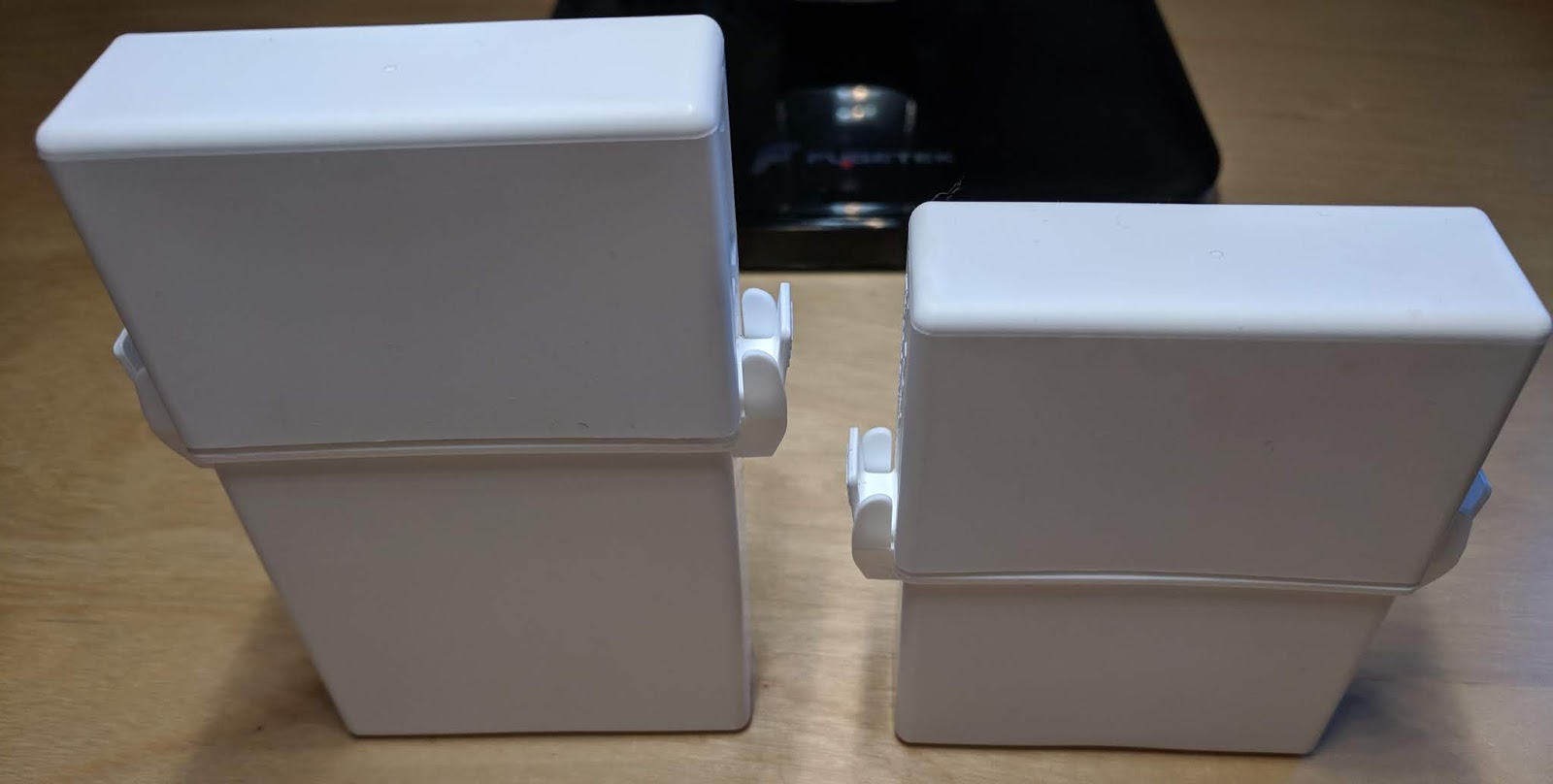
18 and 30 Dram MPACK's
18 and 30 Dram MPACK’s
 Plus, we have them available in two sizes; 18 dram (3.125” tall x.92” wide) and 30 dram (4” tall x .92” wide).

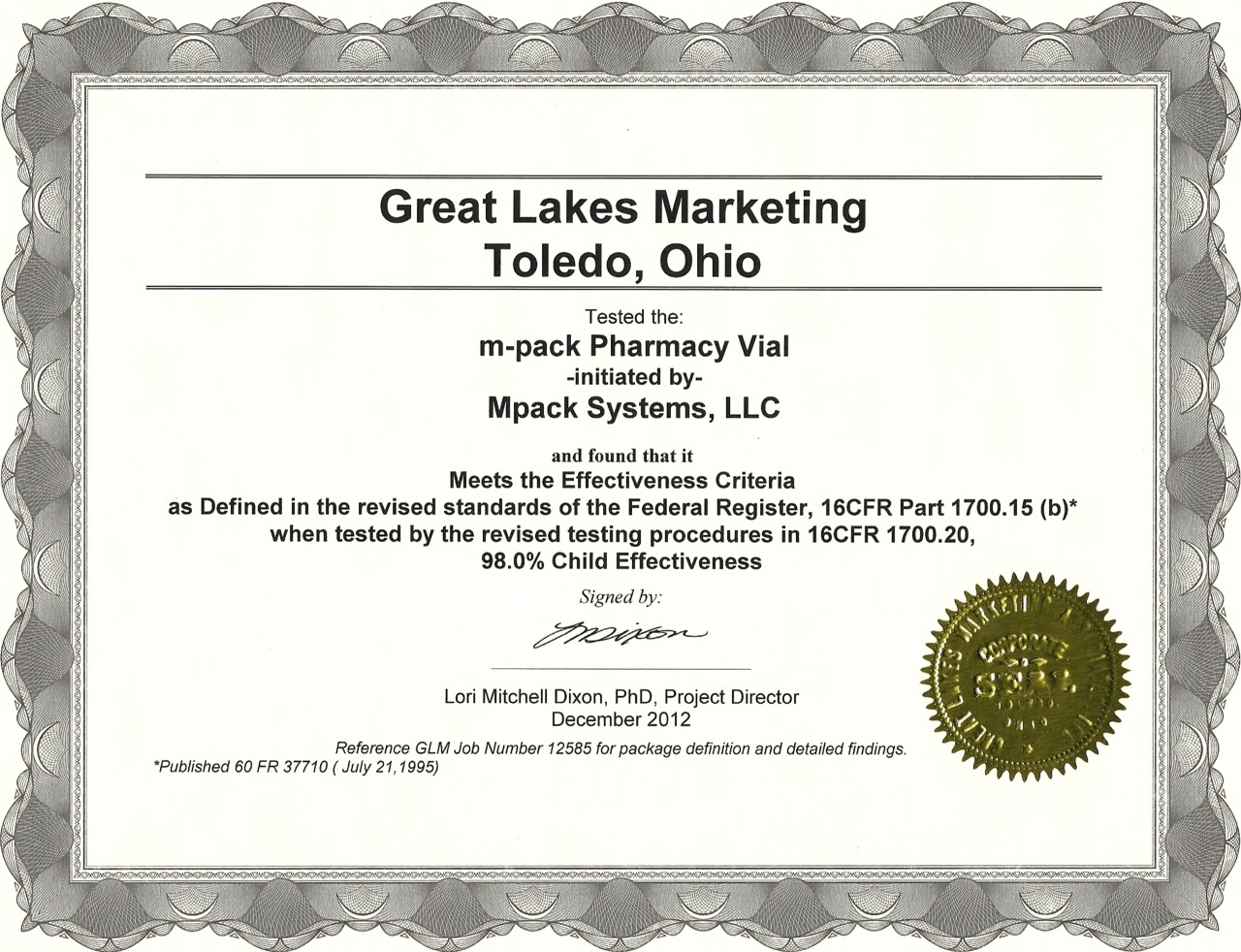
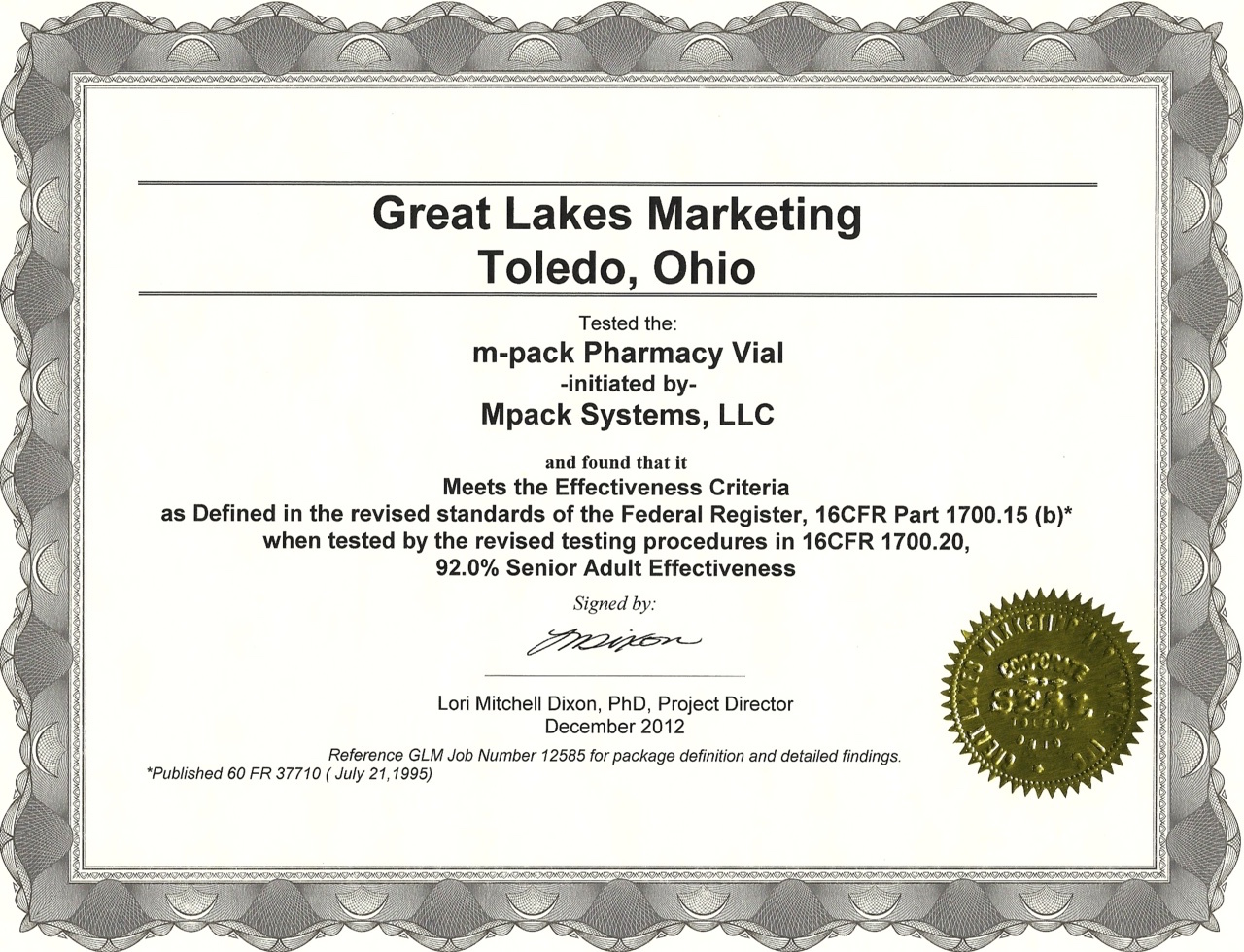
And most importantly, these packages are certified child resistant:

MPACK Child Resistant Certification

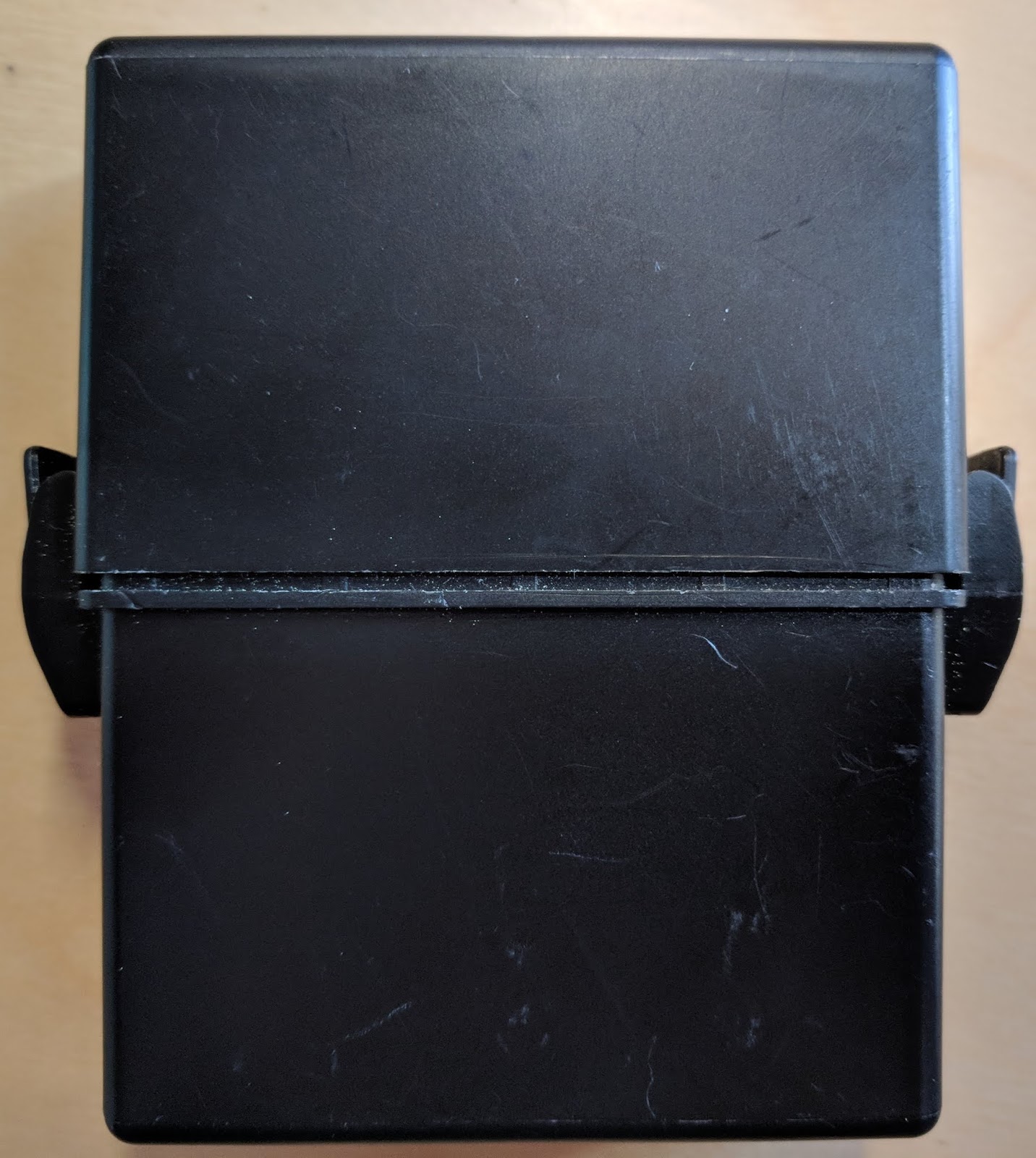
Second to Child Resistant, packaging must be tamper evident.  With the MPACK, we recommend labeling over the top/bottom sections where the packaging separates.

Labeled MPACKS
Labeled MPACKS
With the addition of a perforation, separation of the label between the top and bottom is easy to do. 

Tamper Evident Paper Label
For other types of packages, we have paper labels with a durable adhesive that acts as a tamper evident seal.  Once the adhesive is set, the paper can’t be removed (on most surfaces) without shredding.  If interested, we can send you matte paper labels to test on your packaging.

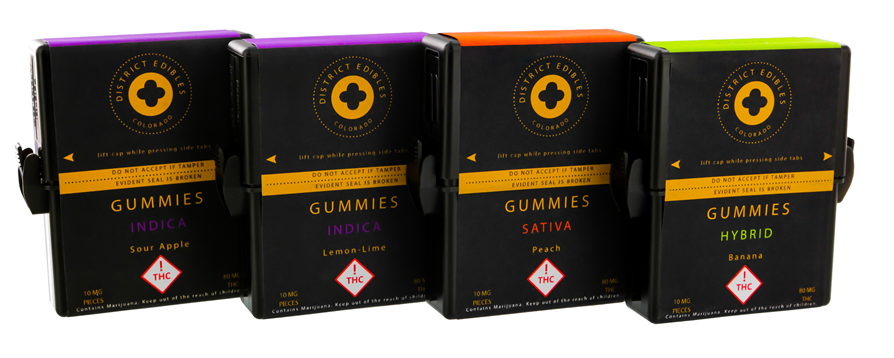
MPACK's In Color
MPACK’s In Color

Third, packages for edibles must be opaque. As seen in the above picture, we have the MPACKS in a variety of colors, with the option of a monochrome image on the package itself. 
Fourth, packages must be resealable; the child resistant “Snaps” on the sides make the MPACK resealable. 


Resealable MPACK
Resealable MPACK

Even with the side snaps, the MPACKS are so easy to open they qualify as Senior Friendly!

MPACK Senior Certification
In addition to the packaging requirements, California has new labeling requirements; both on the “Primary Panel” label and the “Informational Panel” label. On the Primary panel, the label must:

  • Identify the product
  • Provide the THC/CBD content
  • Contain the CBPH Issued Universal Cannabis Symbol
  • Include net weight or volume.
On the Information panel, the label must contain:
  • Manufacturer’s name/contact information (website/phone number)
  • Manufacture date
  • Government warning statement
  • Ingredient list
  • Instructions for use
  • Expiration date
  • Unique ID/Batch number

(FYI: I found this page helpful.  https://www.cdph.ca.gov/Programs/CEH/DFDCS/MCSB/Pages/PackagingandLabelingFAQs.aspx )

As for the warning statement, I found this paragraph:
“GOVERNMENT WARNING: THIS PRODUCT CONTAINS CANNABIS, A SCHEDULE I CONTROLLED SUBSTANCE. KEEP OUT OF REACH OF CHILDREN AND ANIMALS. CANNABIS PRODUCTS MAY ONLY BE POSSESSED OR CONSUMED BY PERSONS 21 YEARS OF AGE OR OLDER UNLESS THE PERSON IS A QUALIFIED PATIENT. THE INTOXICATING EFFECTS OF CANNABIS PRODUCTS MAY BE DELAYED UP TO TWO HOURS. CANNABIS USE WHILE PREGNANT OR BREASTFEEDING MAY BE HARMFUL. CONSUMPTION OF CANNABIS PRODUCTS IMPAIRS YOUR ABILITY TO DRIVE AND OPERATE MACHINERY. PLEASE USE EXTREME CAUTION.”
For edible products, the label must contain any allergen information, list of artificial food colors, and nutritional information.

If you decide that your labels need to meet Prop 65 requirements, please see this earlier post:  http://colorlabelsondemand.blogspot.com/2017/09/new-ca-prop-65-requirements.html

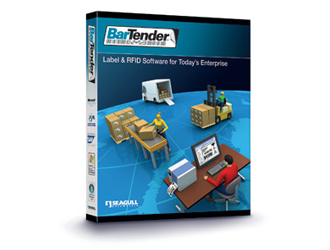
To print the Unique ID, Batch Number, Expiration date, THC content, CBD content, and all other variable data, we recommend BarTender; the leading label design and printing software.  With this software, it’s easy to add information to an established label template at print time or integrate with a database as simple as Excel to pull variable data onto a printed label.
If interested in BarTender, here is the link for a free 30-day trial download.
https://www.seagullscientific.com/downloads/label-software/barcode-label-printing-software-download/

 And to start, I suggest you watch these three short videos:
 https://support.seagullscientific.com/hc/en-us/articles/204791538-Getting-started-with-BarTender-Video-7-43- Getting Started

https://support.seagullscientific.com/hc/en-us/articles/214448067-Data-entry-forms-Designing-a-data-entry-form-Video-5-51-  Data Entry Forms

https://support.seagullscientific.com/hc/en-us/articles/204770598-Getting-started-with-database-connections-Video-5-20- Database Connections

Purchase BarTender and software maintenance here:  https://colorlabelsolutions.com/product-category/label-software/

Overall, we have a child-resistant package, tamper evident labels and software to make printing variable data easy to do.  Plus, we’ll help you design and print the labels you want to use on-demand and in color.  Contact us if we can help you with your new California labels.
Guy Mikel
855-962-7670
info@colorlabelsolutions.com 

Filed Under: Label Printers Tagged With: Color Label Printers, Kiaro, Labels

By Fabricators, For Fabricators

June 27, 2018 by value

“By countertop fabricators for countertop fabricators” is the tagline for Fifth Gear Technologies, who develops software applications for the countertop market. Initially, Fifth Gear Tech launched SpeedDraw,  http://speeddraw.net/, a CAD-based software to help fabricators produce final drawings, job tickets, and quality control documents faster with fewer mistakes at less cost.  Following SpeedDraw, Fifth Gear Tech launched SpeedLabel, https://speedlabel.net/, the first tracking application for the countertop industry.


SpeedLabel Interface

According to Steve Mast, Partner in Fifth Gear Technologies, “SpeedLabel is designed to track custom parts as they travel through the production process.  As these parts are custom, mistakes, either in production, delivery or installation, cost a lot of money.  The objective of SpeedLabel is to help our fabricator customers improve their overall operations and save money by tracking the custom pieces as they travel through production, delivery and installation.”

Printed Label from the C3500 Using SpeedLabel
Printed Label from the C3500 using SpeedLabel


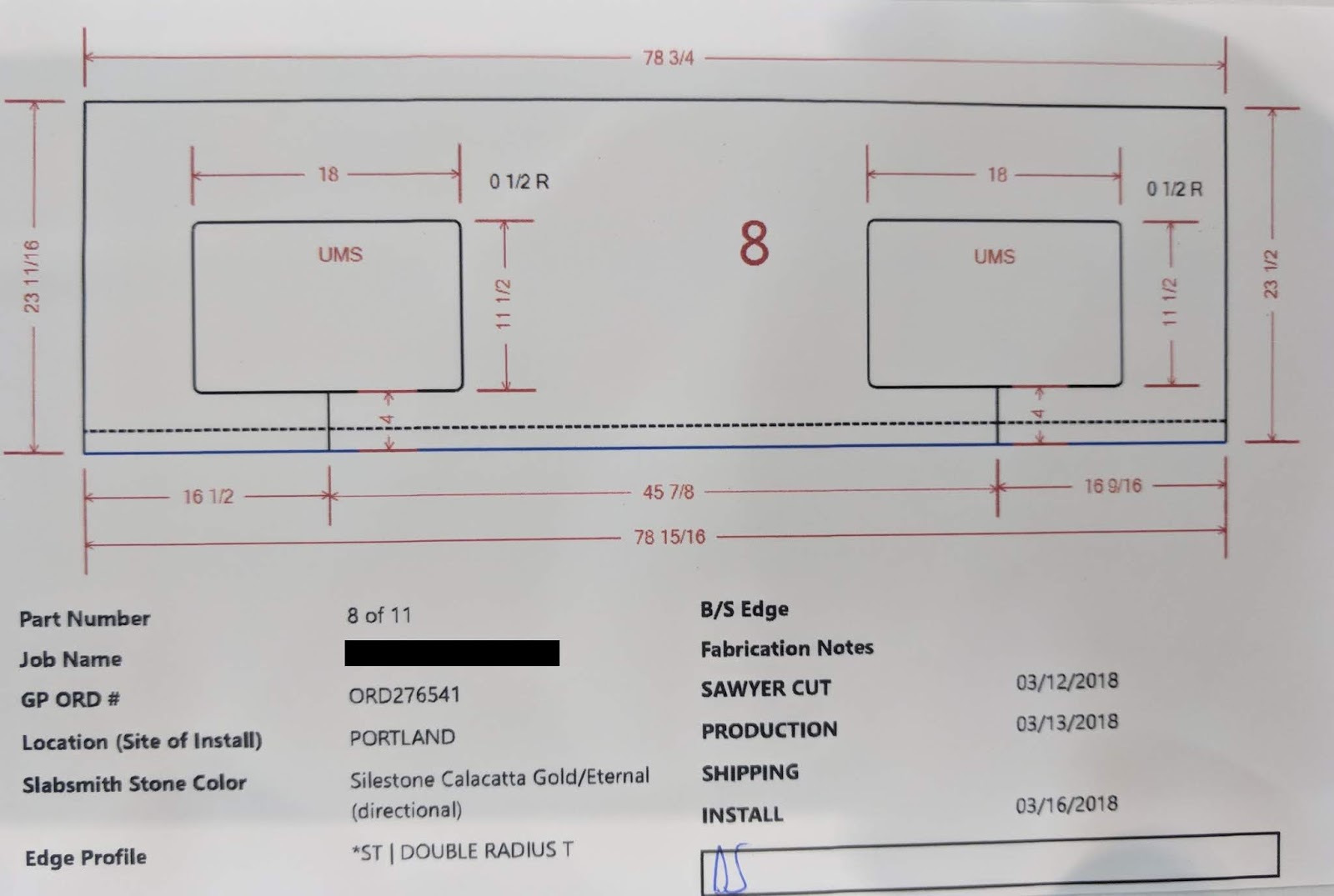
When asked about the use of the C3500 to print labels, Steve says “we use both color and images on our labels.  Images communicates the dimensions of the individual custom pieces.  Color profiles or describes the edge element of the piece.  Together, color and images communicate to the operators in the plant and the installers how the piece should be manufactured and installed”.  Continuing, Steve says, “and we’re now building into our application color codes to highlight pieces within a specific order.  We’ve already had this request from several of our initial customers.”

Printed Label C3500 SpeedLabel
Printed Label from the C3500 using SpeedLabel

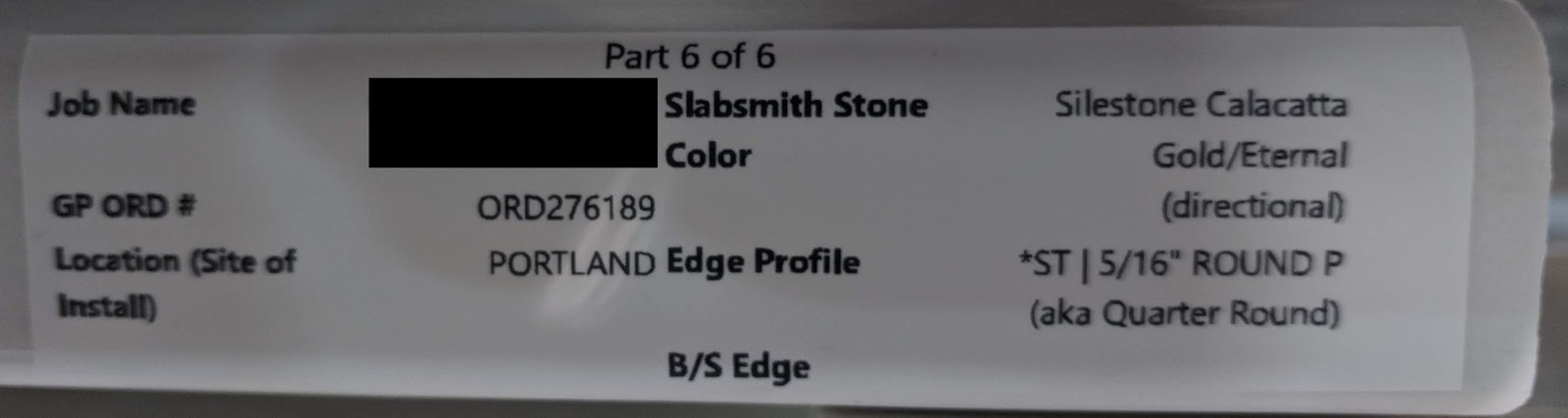
One key benefit of SpeedLabel is the ability to track custom produced items.  According to Steve, “normally, most fabricators rely on workorders/travelers that move through the plant and out on delivery.  With the labels printed from SpeedLabel, fabricators can eliminate work orders/travelers over time to simplify processes and reduce the opportunity for errors.”

C3500 Printed Tracking Label SpeedLabel
C3500 Printed Tracking Label from SpeedLabel

Another important aspect of SpeedLabel is the fact that Fifth Gear Tech designed the application to print from Google Chrome and Microsoft Edge.  From my perspective, browser-based printing is very unique in the label market.  Steve says, “Given the fact that we decided to use only the C3500 printer, configuring the browsers to print was relatively easy.  With browsers, any Windows based computer can print with no requirement to run a separate application.”
To learn more about Fifth Gear Tech and their applications SpeedDraw and SpeedLabel, check out this recent story in Slippery Rock, the most widely read stones trade publication: http://www.slipperyrockgazette.net/index.cfm/pageId/3116
From my perspective, I find SpeedLabel a great application, taking and using the capabilities of the C3500 to improve countertop fabricators operations.  Color and images combined with great programming improve their customer’s business.  Any manufacturer of custom items should consider this type of application to track and communicate the specific of each piece. Be sure to contact us if we can support your efforts in using color and images in your operation.
Guy Mikel
855-962-7670
info@colorlabelsolutions.com 

Filed Under: Label Printers Tagged With: Color Label Printers, Kiaro, Labels

NS Multi Prints New Materials

June 18, 2018 by value

Print quality has been one of the important attributes of the NS Multi:

Grant Lapke With The NS Multi
In fact, I’ve written about the great print quality of the NS Multi in the past.  Once in our blog when we installed the NS Multi after WestPack:

http://colorlabelsondemand.blogspot.com/2018/03/ns-multi-print-quality.html

And as well after PackExpo East:

http://colorlabelsondemand.blogspot.com/2018/04/pack-expo-east-2018.html

This week, we tested two new materials that produced outstanding print quality.  Let me tell you about them.

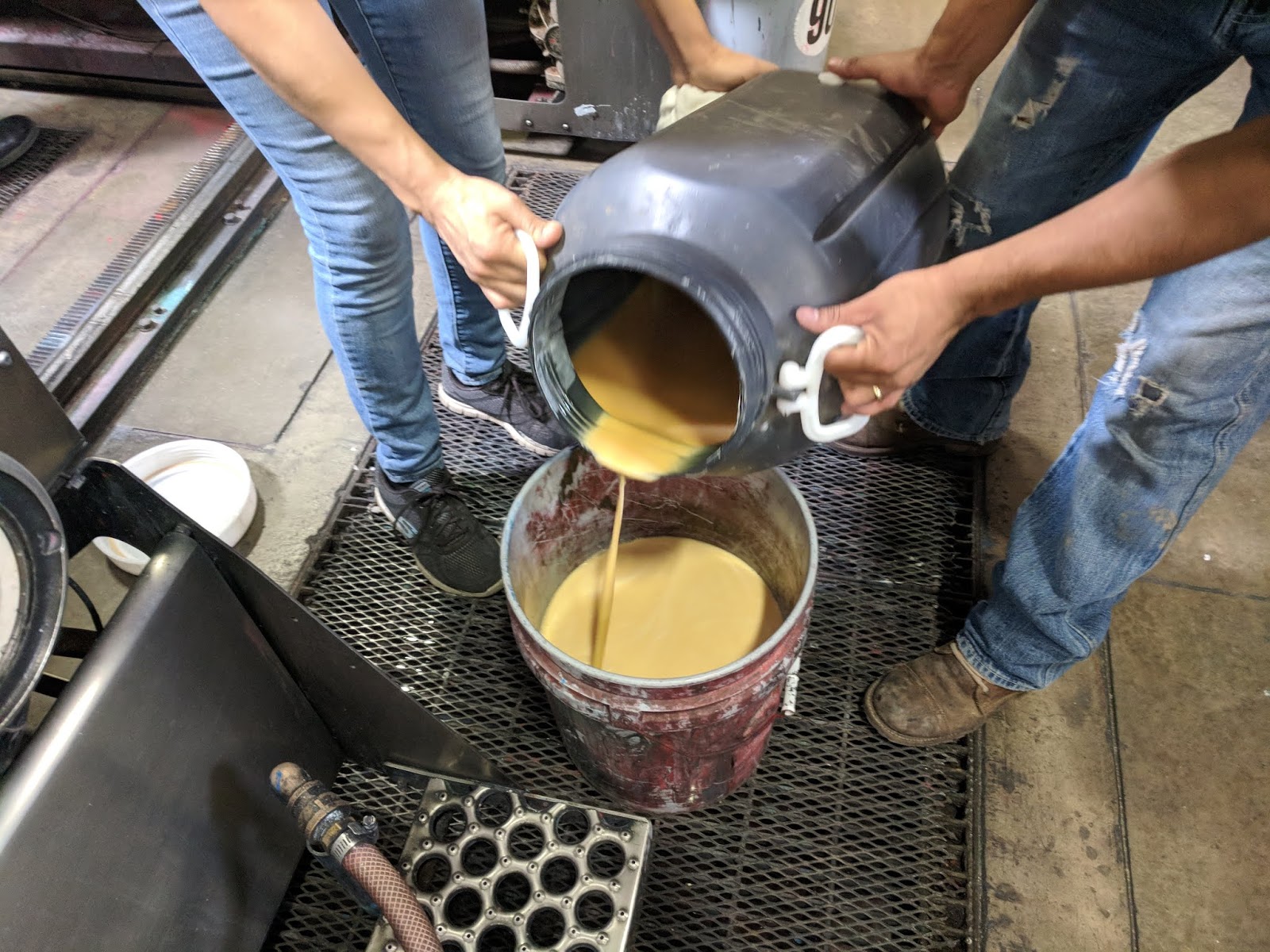
First, we tested inkjet coated corrugated produced by one of our customers.  We loaded our inkjet coating into a press instead of the normal ink:

Inkjet Coating
Inkjet Coating
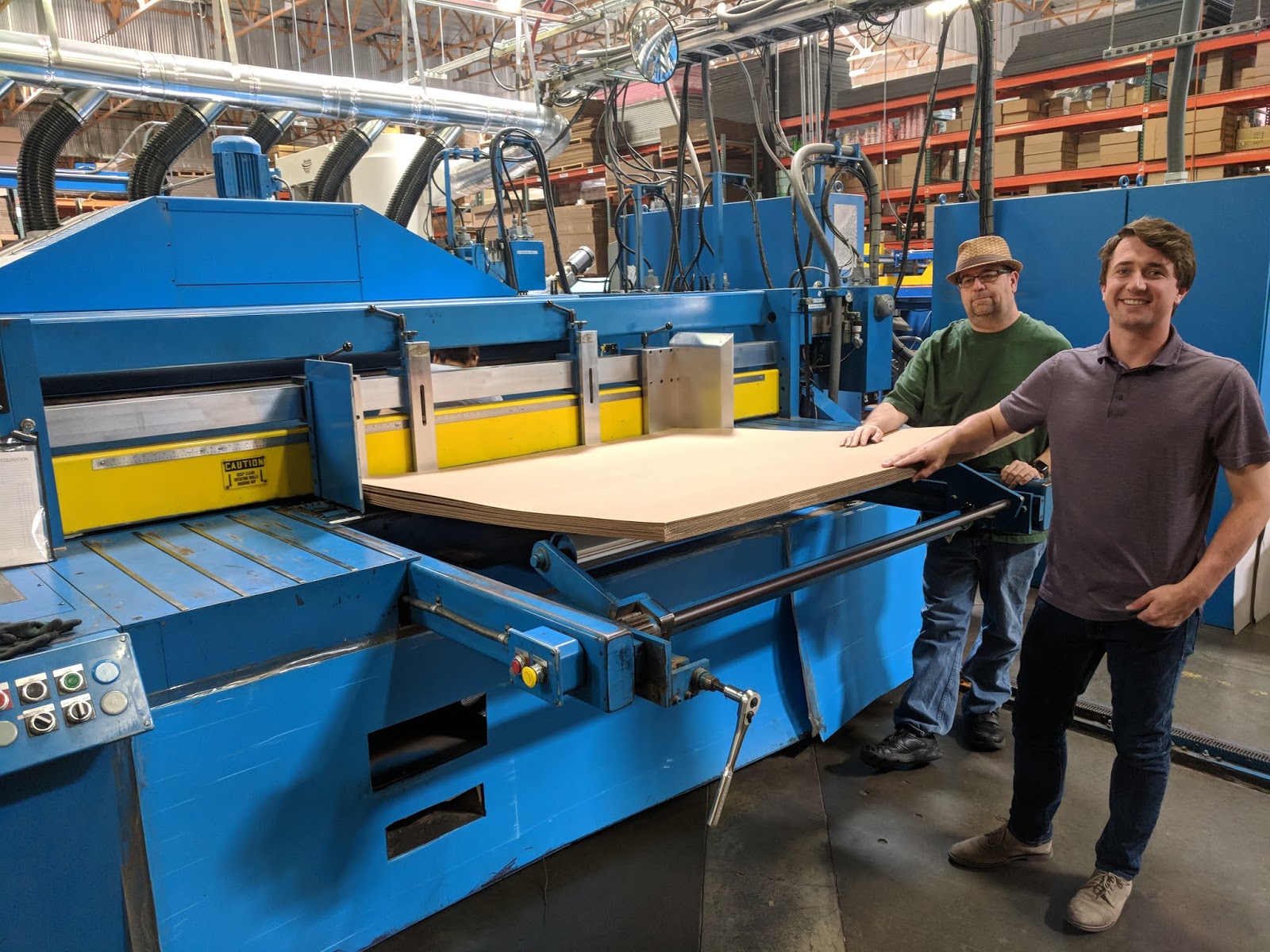
Ran it through a press:

Press Applying Inkjet Coating
And produced inkjet coated corrugated on a variety of types of materials.  Frankly, we were surprised by the array of materials we could coat at one time.

Inkjet Coating Corrugated From A Press
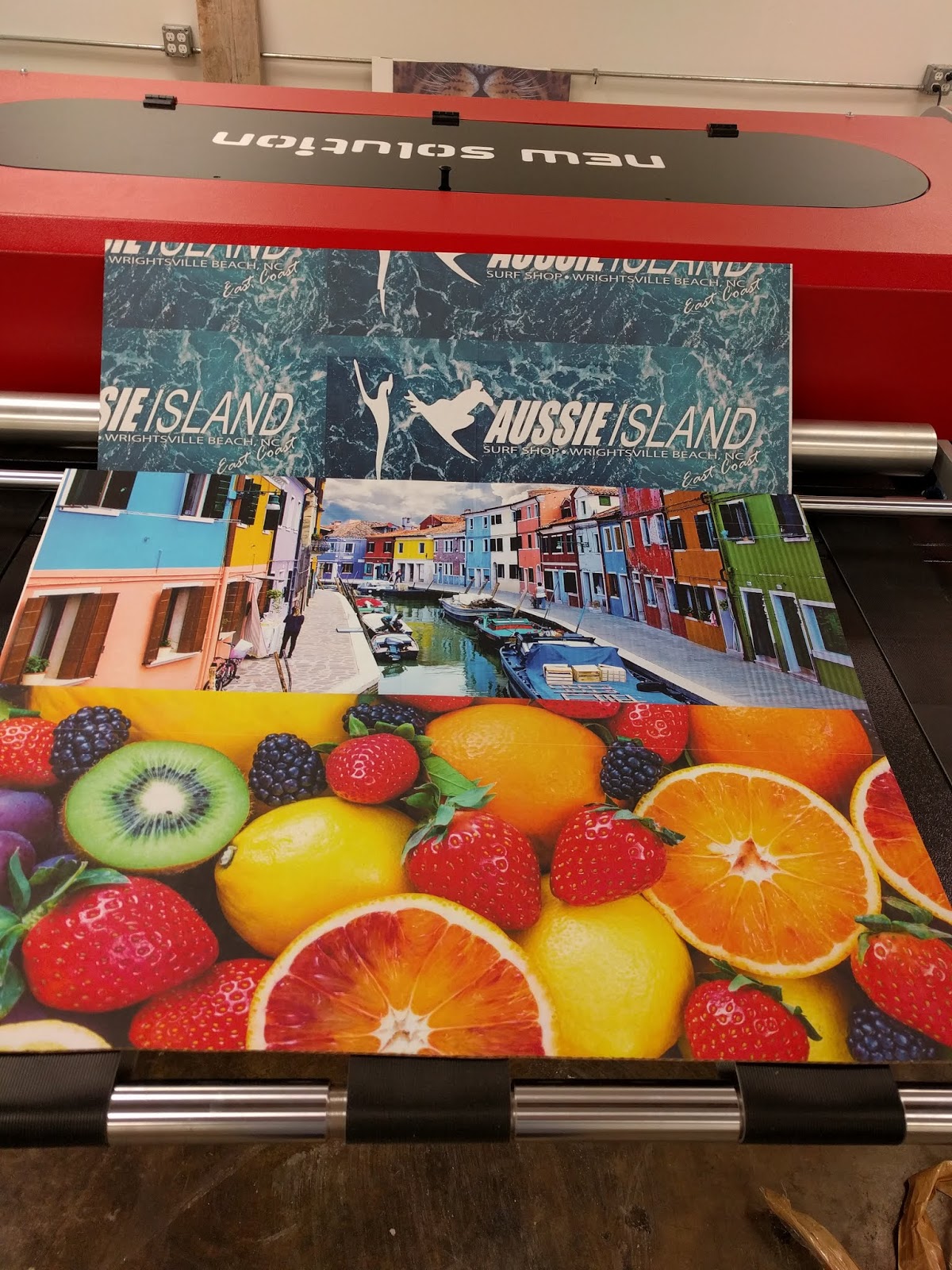
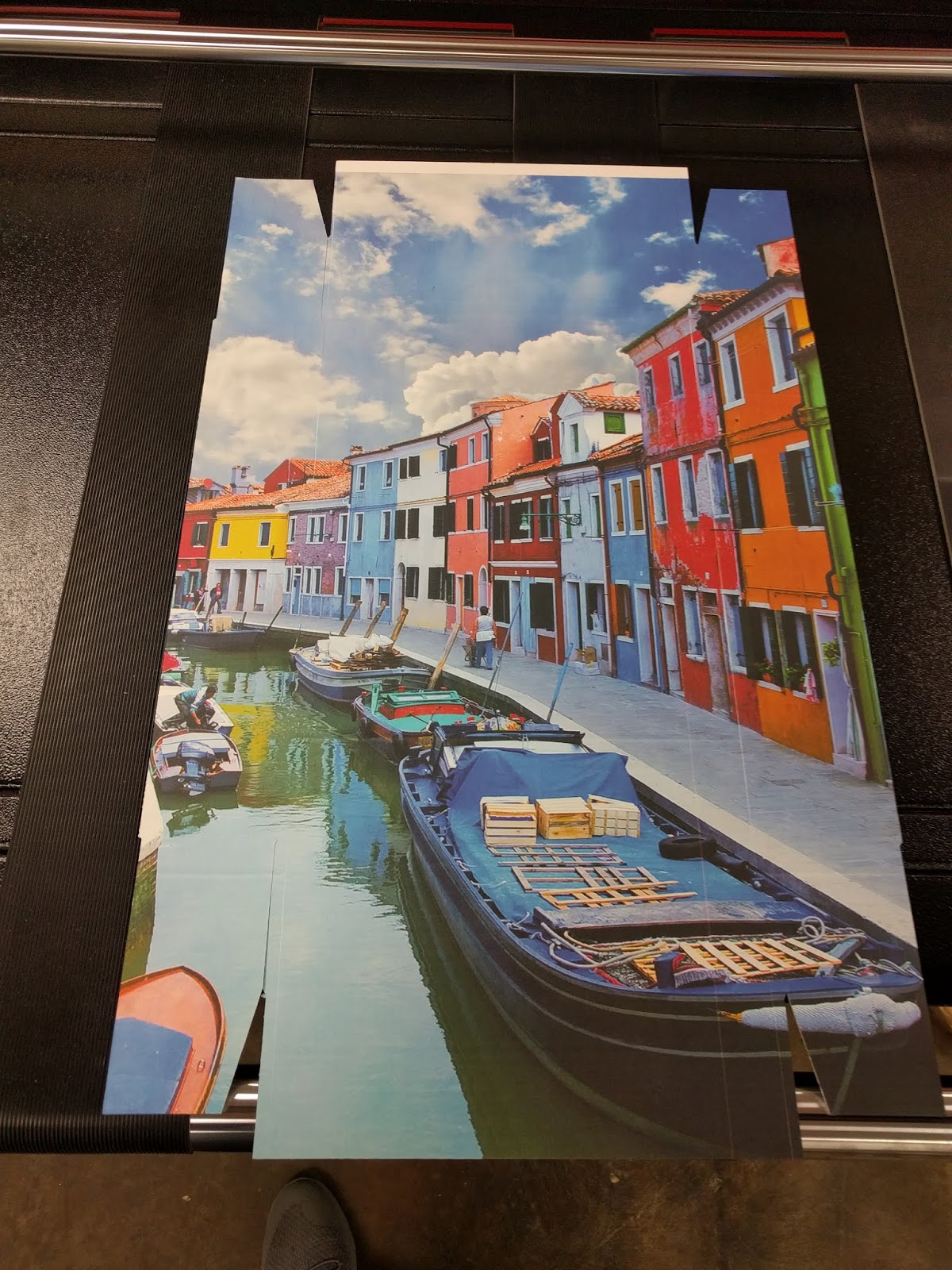
On the coated board, you could barely see the inkjet coating.  According to Grant Lapke, our NS Multi Specialist, “This coated material was not sticky and had more of a matte finish.  After printing, I say the colors “POPPED” more, producing more vibrant images.  In addition, it seems the coating makes the boxes more durable; a little less “flimsy” than non-coated boxes.  And the boxes seemed to withstand water slightly better”.

Inkjet Coated Corrugated Printed with NS Multi
And a video:


Second and in addition to the inkjet coated materials, we test printed plastic corrugated using the NS Multi.  Here is more information on this material:


https://en.wikipedia.org/wiki/Corrugated_plastic

With this material, we produced outstanding print quality on both sides without any coating:


Plastic Corrugated Printed with the NS Multi

And a video:


and this video:


According to Grant, “the printed, plastic corrugated produced outstanding print quality.  As the surface of the plastic corrugated is smooth, the print output comes out very nice.  This material should work well for signs, merchandizing displays and boxes.  As the NS Multi can print up to 12 inches per second, the speed of the printing signs and displays would be significantly faster than a flat-bed printer”.

Grant continues, “both the inkjet coated and plastic corrugated print great. Which material is best depends on the application and the value of the box, sign or merchandizing display.  It’s great to know we can print both with the NS Multi.”
If you need to print boxes, signs and displays on-demand and in color, contact us.  We’ll help you get started in this exciting, new market.
Guy Mikel
855-962-7670
info@colorlabelsolutions.com 

Filed Under: Label Printers Tagged With: Color Label Printers, Kiaro, Labels

Inkjet Coated Kraft

May 31, 2018 by value

All the time, we get requests for Kraft paper labels. 

However, I’ve found these Kraft labels to print poorly with inkjet printers.  The primary reason for poor print quality is that the ink will migrate/spread on plain paper.  This migration or spread makes the print quality look “fuzzy” and frankly, not good.  Wish I had a closeup picture; so hopefully you can imagine what I mean.
Almost all of the labels we sell have an inkjet coating.  This coating adheres the ink to the surface of the label, preventing the ink from migrating/spreading; and making the ink bind to the paper stronger.  For example, inkjet coating enables us to sell durable, poly labels that meet the BS5609 requirements.  To meet the requirements for the marine shipment of chemicals, printed labels must survive in the ocean and resist server abrasion testing.  Learn more about BS5609 from these older posts here: 
http://colorlabelsondemand.blogspot.com/2012/03/bs5609-is-no-bs.html and 

http://colorlabelsondemand.blogspot.com/2013/03/kimdura-better-results.html
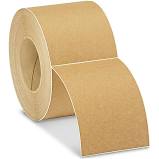
Now we have just launched a new inkjet coated Kraft paper label that prints great!

Inkjet Coated Kraft Paper Labels
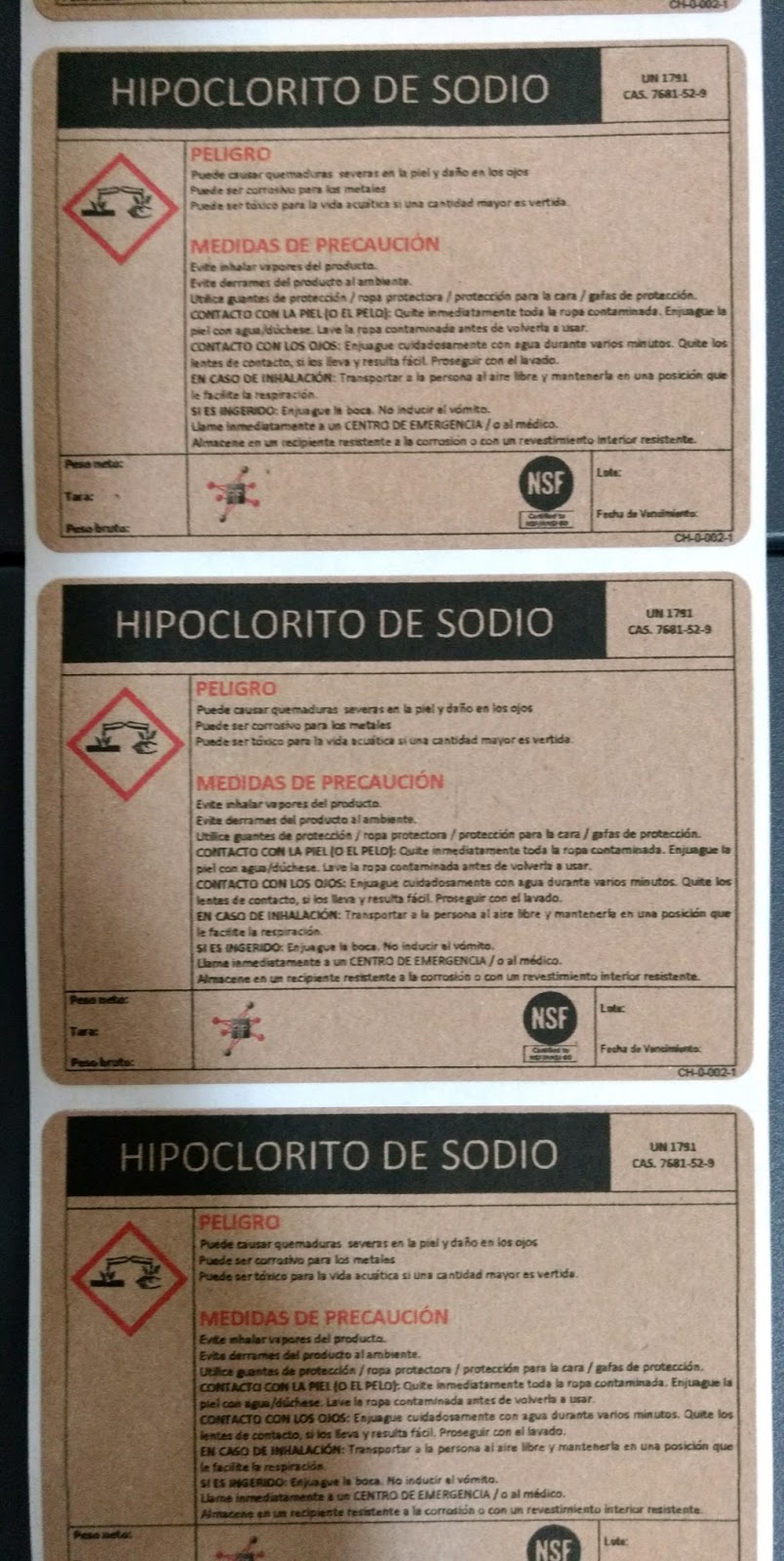
When we received the new inkjet coated Kraft paper, we printed the material using a relatively low-resolution artwork. 
C3500 Printed Inkjet Coated Kraft Labels
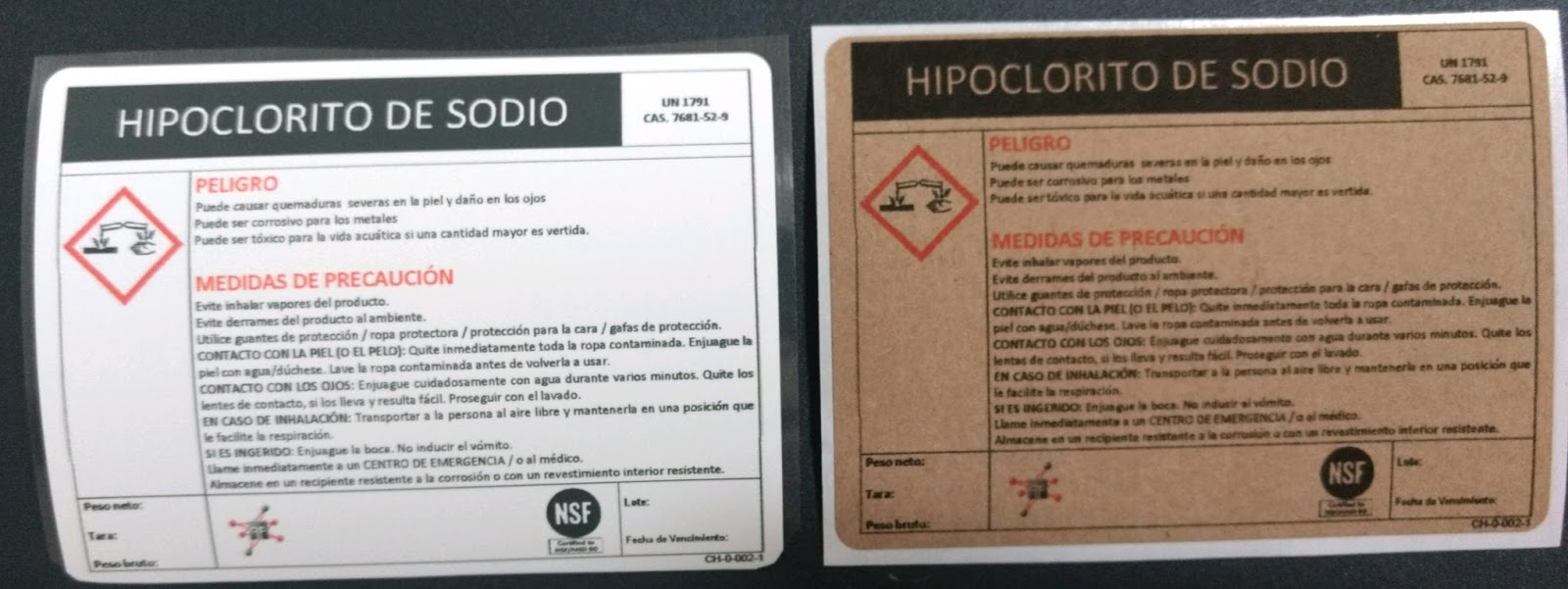
And compared it to our standard matte paper:
Matte Paper vs Inkjet Coated Kraft Paper Labels
From our print tests, we found the print quality of the new inkjet coated material much better than traditional Kraft paper labels and almost as good as our standard matte paper labels.
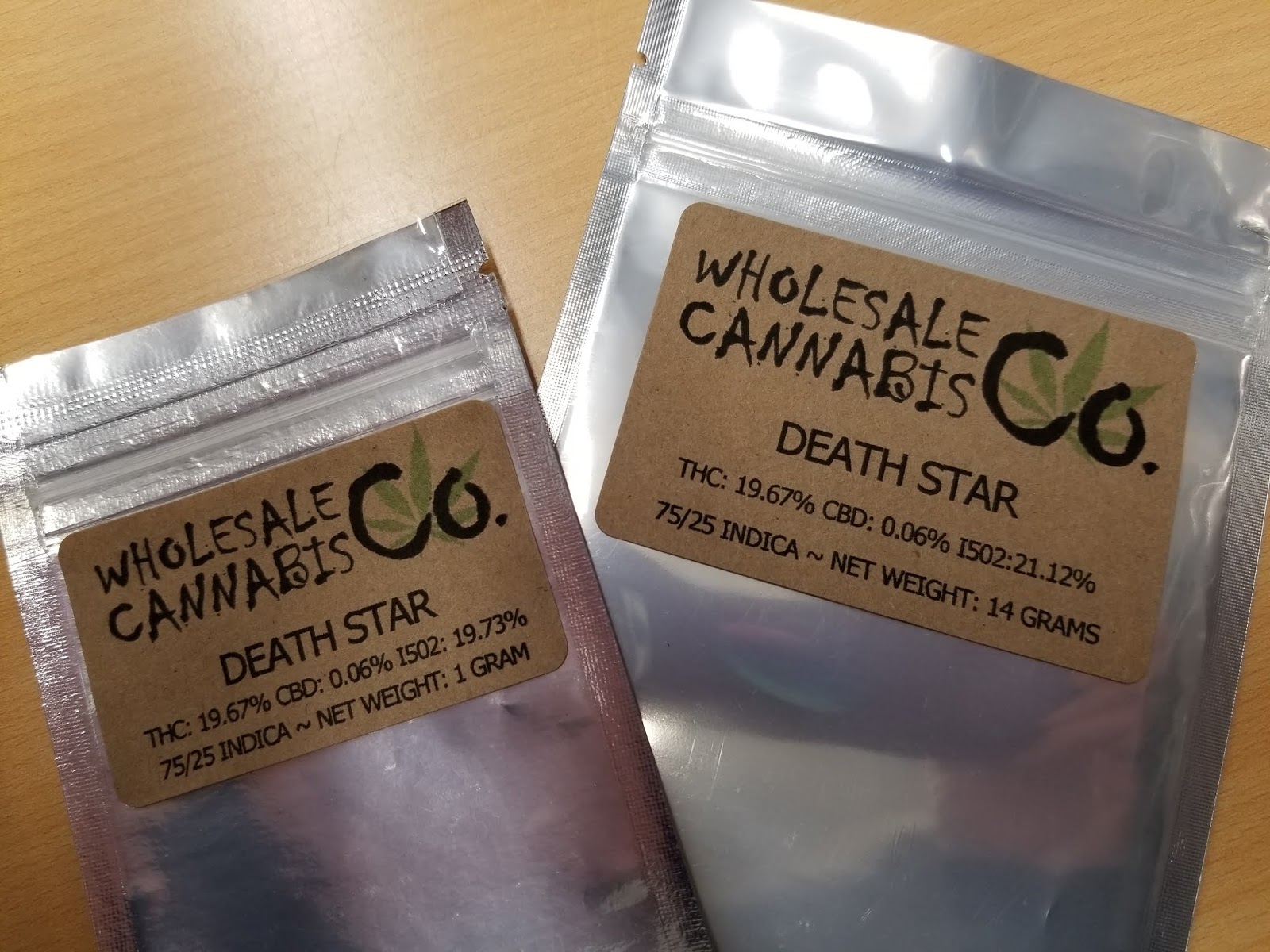
Once tested, we sold it almost immediately to a customer, Kristy of Blue Rock Acres. 

http://bluerockacres.com/

When asked why Blue Rock Acres was interested in a Kraft paper label, Kristy said, “The company was looking for a label that would distinguish our A and B Brands. We went with Kraft-backed packaging for the new B brand and thought the look should carry over to the label as well. We wanted a brown bag appearance, a wholesale or low-price vibe, while still being eye catching to the consumer. I think the Kraft labels capture this extremely well and I am very pleased with the new labels.”

Blue Rock Acres Printed Labels
Considering these labels were printed with a relatively low-resolution C3500 printer, I think they look great!  According to Kristy, “The new Kraft labels look great and print great, including small print disclaimers and barcodes! Just the look we wanted.”
If you are looking for vintage or brown paper look for your labels, consider our new inkjet coated Kraft paper.  You’ll find these labels print great; and convey the desired brand image.
Guy Mikel
855-962-7670
info@colorlabelsolutions.com 

Filed Under: Label Printers Tagged With: Color Label Printers, Kiaro, Labels

ZPL With The C7500

May 28, 2018 by value

Recently, I had reason to practice printing ZPL to a C7500.

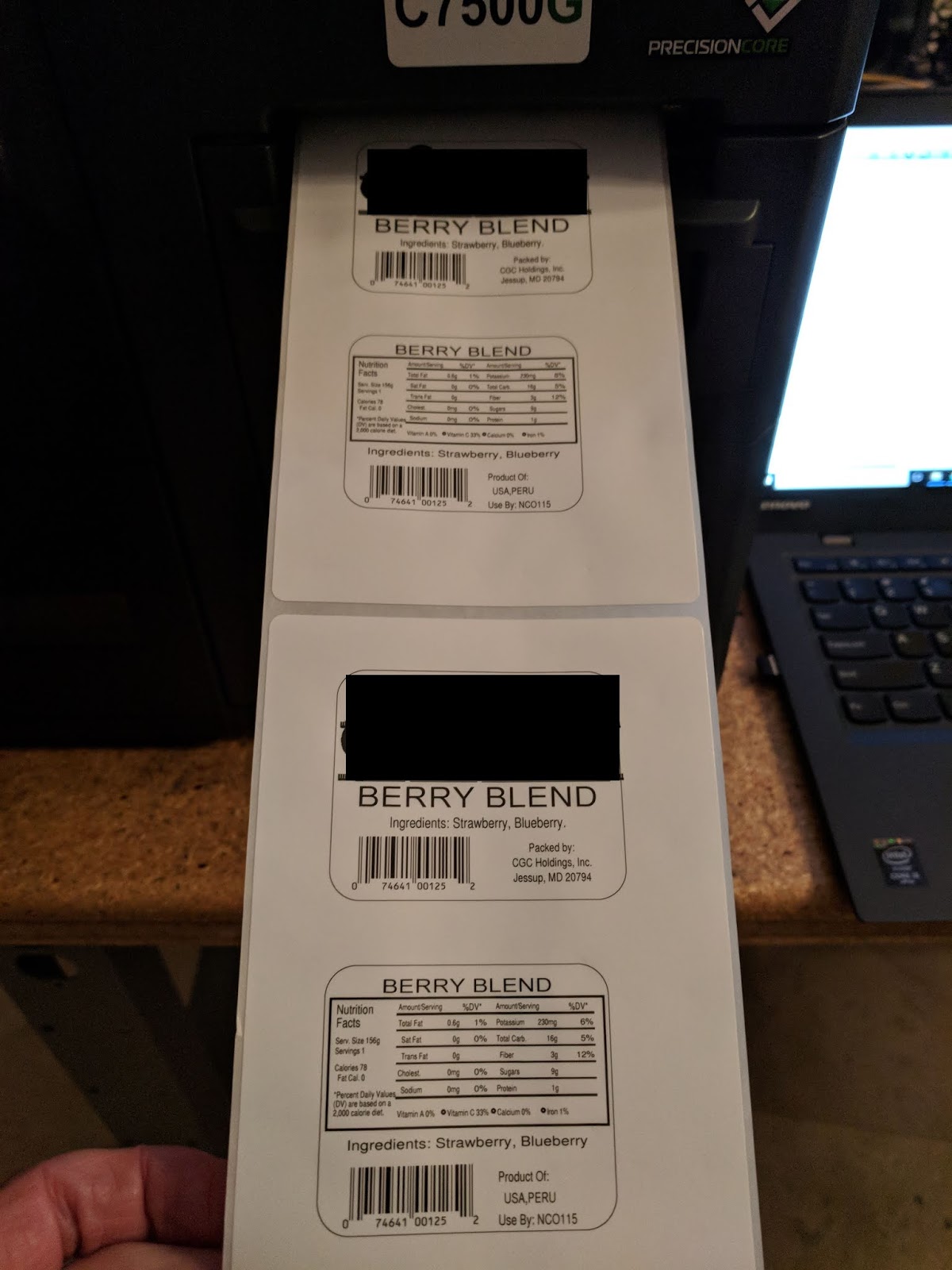
ZPL Datastream Printed With The C7500
Let me tell you more about to use this capability in the Epson C7500 printer.

Before I begin, you may be asking what is ZPL?  Zebra Programming Language (ZPL) is the command language used by all ZPL compatible printers. It is a command-based language used by the printer as instructions for creating the images printed on the labels.  Although I can’t find the history of ZPL, Zebra Technologies changed it’s name in 1982 to focus on thermal transfer printers; and was probably using a version of this language at that time: https://en.wikipedia.org/wiki/Zebra_Technologies.   Sato claims to have invented thermal transfer technology with the launch in 1981:  https://en.wikipedia.org/wiki/Thermal-transfer_printing.  Before Windows, desktop printers used a print language.  And many of Zebra’s competitors offer ZPL emulations or interpreters.
From my perspective, ZPL offers a few key benefits; primarily speed and legacy installed base.  With ZPL, the application sends only the variable data to the printer; making time to first print very fast.  By using a preprinted label or uploading a template, you can embed non-variable objects onto the label.  In addition, developers have created applications for decades that use ZPL to print; and Zebra has sold millions of printers to customers who use these applications.
To print a Zebra ZPL print stream using the C7500, you have two options:
  • Use a Generic Text Driver
  • Use LPR from a command line

To use a Generic Text Driver, you need to add it to your system.  I found the instructions here on how to add this driver: https://dfarq.homeip.net/how-to-add-a-generic-printer-in-windows-10/


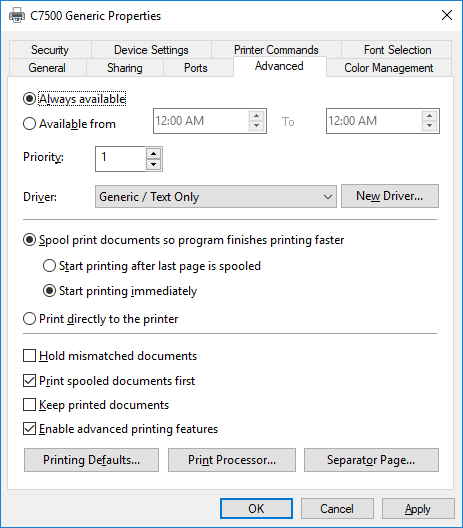
Once added, you need to select it to replace the standard C7500 driver on the Advance Tab.
Generic Text Replacing C7500 Driver
Once the driver is installed, you need to change the resolution of the printer.  For the ZPL print stream I had, I needed to change the Resolution in “Printer Setup 1” to 200 dpi.  To make this change, go to Menu on the front panel, page down to select “Printer Setup 1”, page down to select “Resolution”, and then use the arrow keys to select 200 DPI.  Be sure to remember to change this setting back to 600 dpi when finished as well as select C7500 on the Advanced tab in the Driver setting.
To print the ZPL stream, I then opened the ZPL code in Notepad:

ZPL Printstream in Notepad
And printed to the C7500 using the Generic Text Driver.  Worked perfectly.

ZPL Printed Using The C7500

To print using LPR, I found this page seemingly straight forward on how to use this capability:  https://www.cups.org/doc/options.html.  (Full Disclosure:  I never actually used this method to print).  Experts with Linux should find these instructions easy to follow.

Actually, printing the ZPL is the easy part.  I found the uploading and creating the correct image template much more difficult; but figured it out.

On page 98 of the C7500 Operators Manual, you’ll find the instructions on how to select a background image to print.  Get the manual here:   https://files.support.epson.com/docid/other/m00079108.pdf


C7500 Background Image Settings


One key aspect I missed was the last sentence in the initial paragraph: “This setting screen is not displayed if you started the Printer Setting Utility from the printer driver”.  It took a call to Epson Advance Tech Support (562-276-1340) to figure out why I could not see the “Background Image Setting” option.  Once I understood, I downloaded and installed the printer setting utility as a separate application.  You can download this utility here:  https://download.epson-biz.com/modules/colorworks/index.php?page=single_soft&cid=346&pcat=35&pid=5.

Once installed as a separate application, I could select the “Use Shared Background Image”.
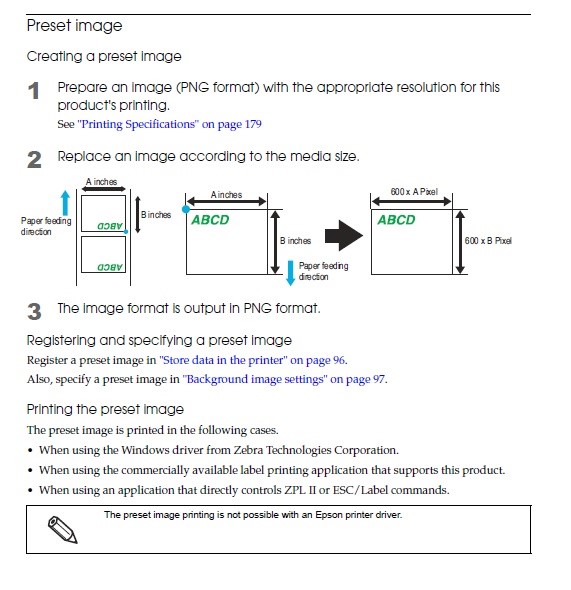
To create your background image, follow the instructions on page 99 of the C7500 Operators Manual:

How To Create Preset Image To Upload To A C7500

Key aspects are 1, must be a PNG format.  And 2, you need to create the image using the correct X/Y settings based on the label media size you are printing.  Once you have the correct image created, you can upload it following the instructions on page 98.

Upload Background Image To C7500

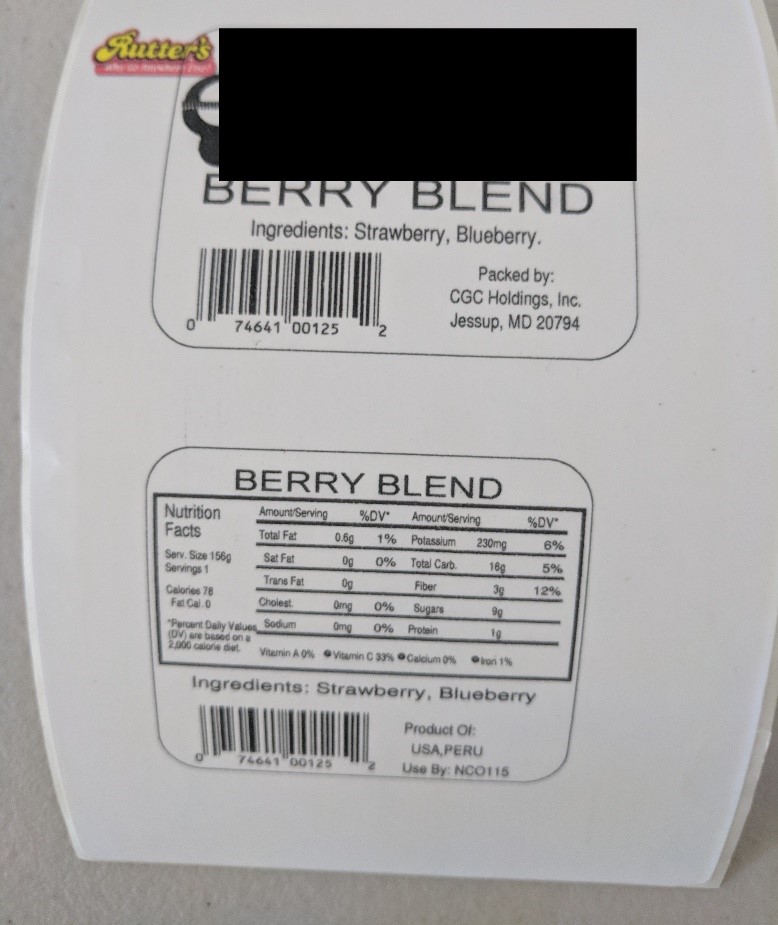
Once uploaded, the image prints in color whereas the ZPL code is printed black:

Color Image on ZPL Printed With The C7500


(FYI: I did not take the time to fix the image as the correct size or location.   But it printed!)

Over the years, I had several individuals talk about the ZPL feature of the C7500.  But I never had a company put this feature into operation until now.  With legacy applications, the ability to print native ZPL is an interesting feature of the C7500; especially with the ability to upload images completely eliminating the need to purchase preprinted labels.
If you are interested in using ZPL, contact us.  We’ll help you get started printing quickly.
Guy Mikel
855-962-7670
info@colorlabelsolutions.com 

Filed Under: Label Printers Tagged With: Color Label Printers, Kiaro, Labels

LabelOn Labelling Machine Range

May 9, 2018 by value

Filed Under: Packaging materials and Machinery Tagged With: caps and liners, induction sealing machines, labeling machines, packaging materials and machinery

  • « Previous Page
  • 1
  • 2
  • 3
  • 4
  • …
  • 9
  • Next Page »

Recent Posts

  • Tabletop Round Bottle Capture Device
  • Tabletop Round Wrap Labeler
  • LabelOn™ Flat Items Labeler | Flat Bags Sheets Case Labeling
  • LabelOn™ Benchtop Flat Box Labeler
  • There’s Gold in Them Thar Hills – Or Should I Say Green
  • Used Labeling Machinery: Hidden Costs You Did Not Know About
  • LabelOn™ Basic Bottle Wrap Labeling – Longer Wrap – Added Tilt Adjustments
  • LabelOn™ Basic Bottle Wrap Labeling – Longer Wrap – Added Tilt Adjustments
  • LabelOn™ Label Dispenser
  • LabelOn™ Label Dispenser
  • LabelOn™ Benchtop Round Bottle Applicator
  • LabelOn™ Manual Benchtop Round Bottle Labeler
  • LabelOn™ Manual Benchtop Round Bottle Labeler
  • Hello world!
  • Investigating Glass Induction Sealing
  • Investigating Glass Induction Sealing
  • Labeling Unstable Products with LabelOn™ Pucks Labeling Kit
  • Labeling Unstable Products with LabelOn™ Pucks Labeling Kit
  • Used Labeling Machinery: Hidden Costs You Did Not Know About
  • Used Labeling Machinery: Hidden Costs You Did Not Know About

Categories

  • All About Packaging
  • Cap Lining Materials and Machinery
  • Case Studies
  • Induction Sealing Machines
  • Label Printers
  • Labeling Machines
  • Packaging materials and Machinery

Copyright © 2026 · News Pro Theme on Genesis Framework · WordPress · Log in